
How to Start Your 30-Day Free Trial of Custy?
A free trial means you can try the paid plans for 30 days before Shopify charges you. Use that time to set up a product and see if Custy fits your shop.
You get one trial per store. Only Starter and Pro have a trial. The Free plan has no trial. You can use Free anytime without starting a trial.
Start the trial in three steps
Do this right after install, or open Plans from the left menu in Custy anytime before you have used the trial.
- Open Plans in the left menu (or you may already be there after install).
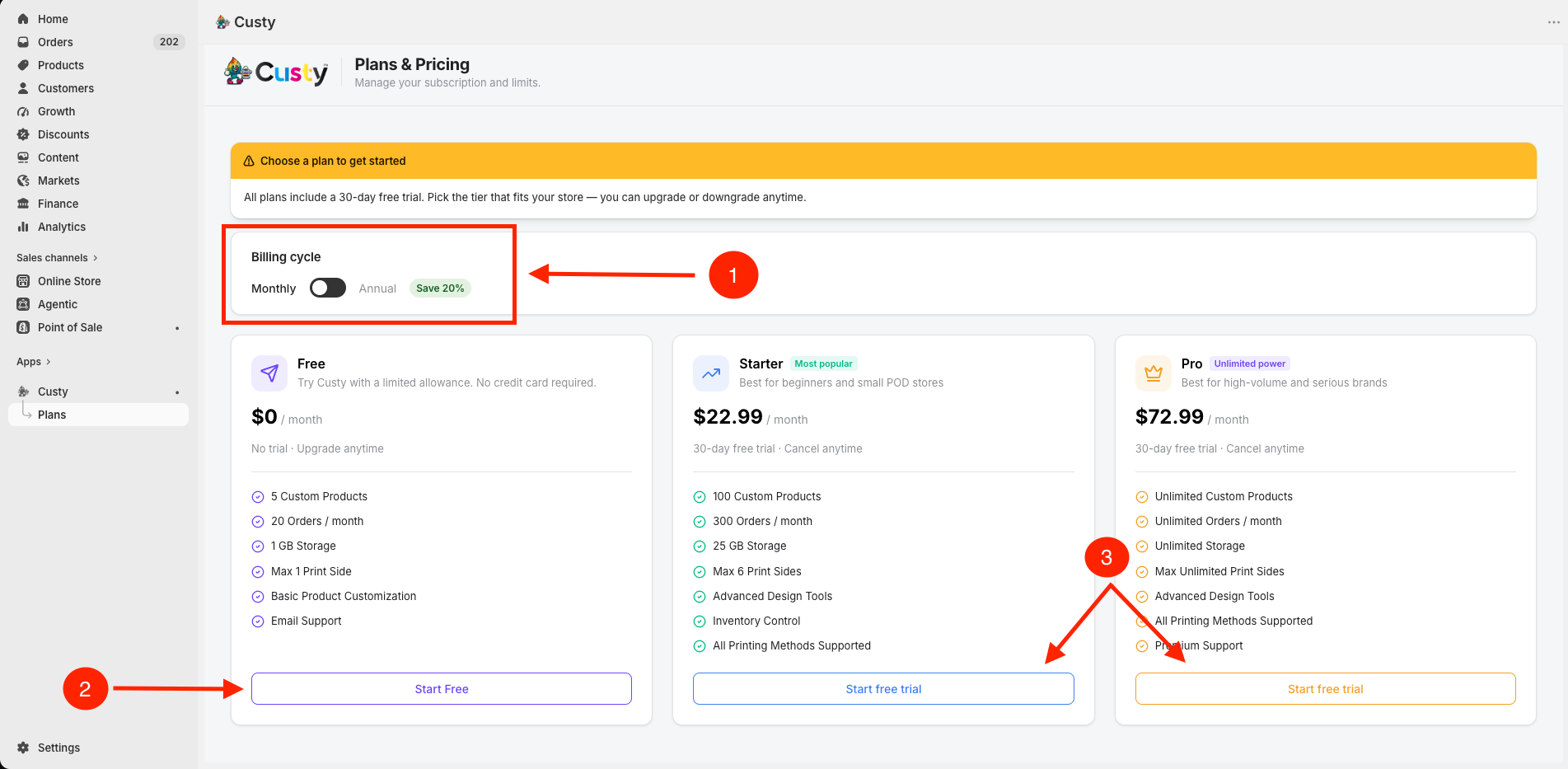
- Choose Monthly or Annual. Annual says Save 20%.
- On Starter or Pro, click Start free trial. Then click to approve the Shopify screen that appears.
 Full size
- 1
Monthly or Annual
Pick how you want to pay after the trial ends.
- 2
Free
Click Start Free if you do not want a trial. Free has no 30-day trial.
- 3
Start free trial
Click this on Starter or Pro. If you already used the trial, you will see Subscribe instead.
Which plans have the trial?
Only Starter and Pro. For those 30 days you get the features of the plan you pick.
- 1Starter: $22.99 per month (or $220.70 per year). Up to 100 custom products, 300 orders per month, 25 GB of storage, up to 6 print sides, quantity discounts, and inventory tools.
- 2Pro: $72.99 per month (or $700.70 per year). Unlimited products, orders, and storage on the published limits, unlimited print sides, plus extra Pro tools such as location pricing and white label.
What to do after the trial starts
Next, turn Custy on in your theme, then set up one product. That way you can try the full path before the 30 days end. Take your time.